SoloBook - private diary with lock and mood tracker
SoloBook pairs a mood check-in that takes seconds with a full-screen writing canvas: themed paper, handwriting and typewriter fonts, and photos. Every entry is encrypted on your phone and can sit behind a PIN or biometric lock, with no account, no backend, and no sync. Every feature is free; premium only removes ads.
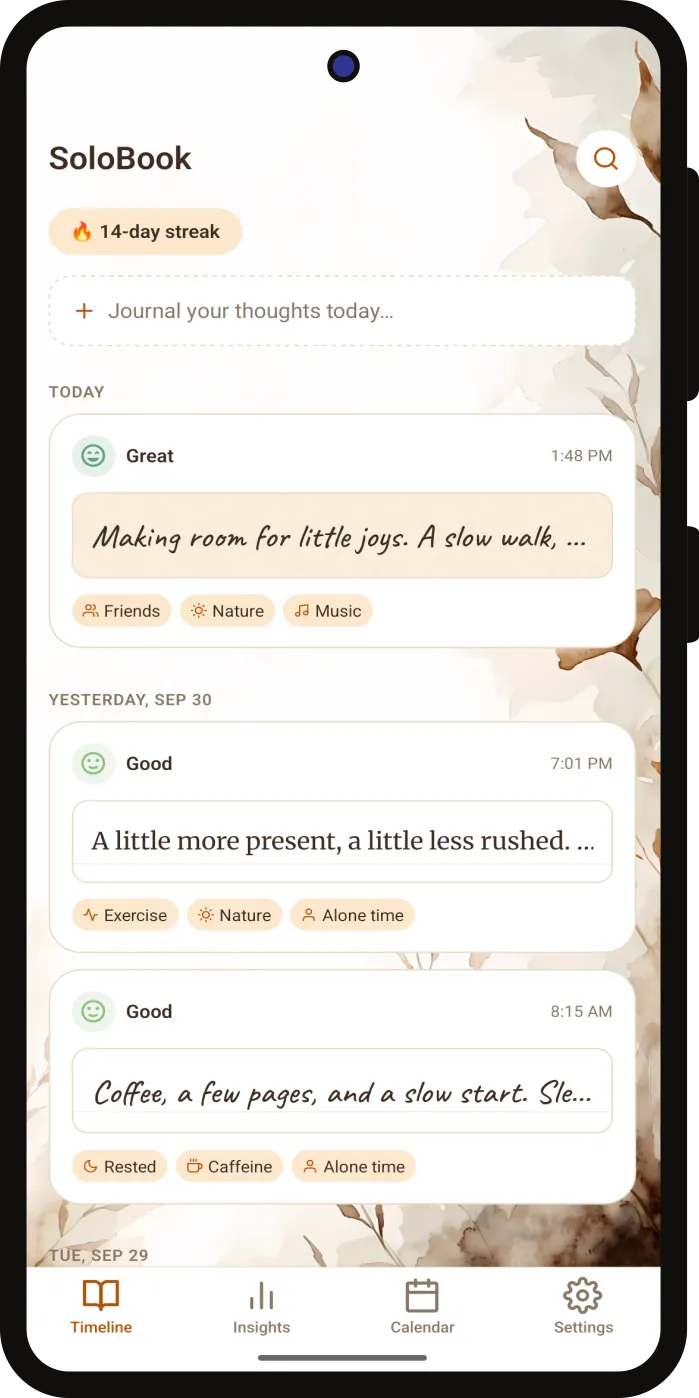
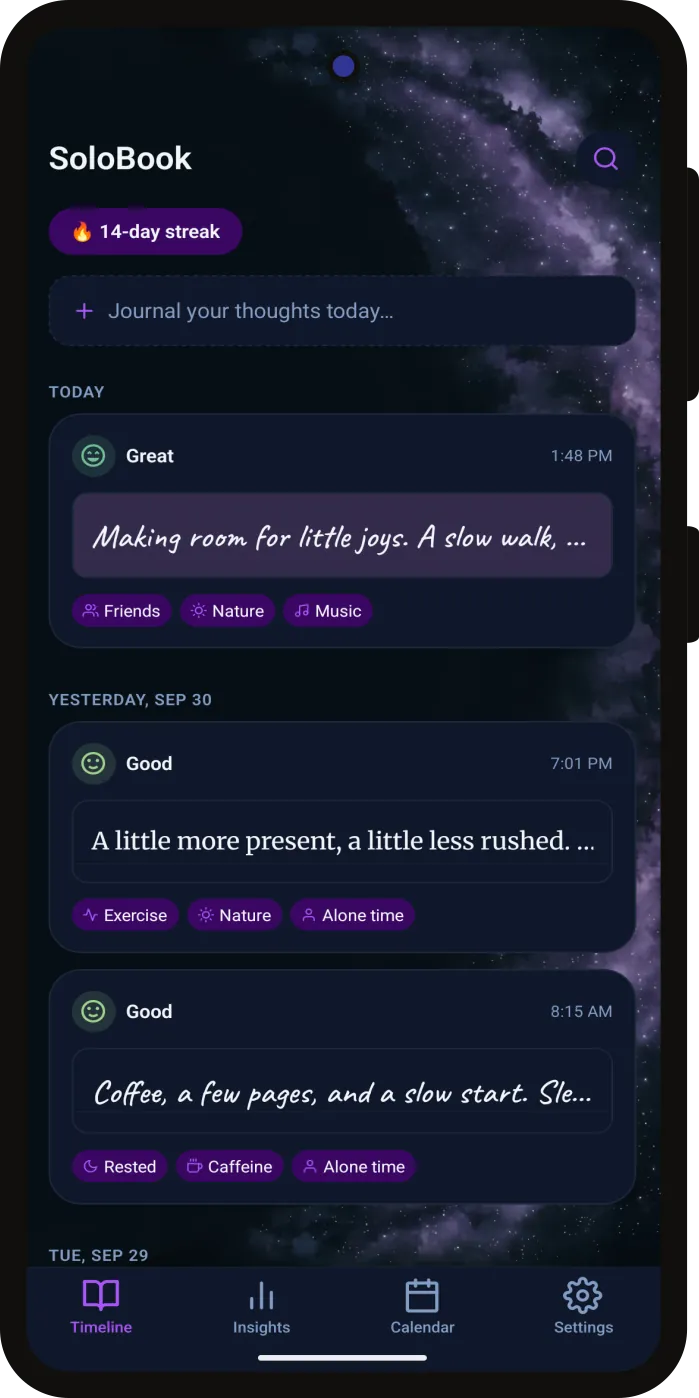
Built for a quick mood log or a long evening entry
Log a mood and what shaped the day, and open a full page and write. Everything you record feeds insights calculated on the phone, a calendar of your year, and full-text search - all stored encrypted, behind a lock you choose, and portable through a backup only you can open.
Mood Check-ins in Seconds
Pick a mood from Awful to Great, tag what shaped the day from many built-in factors or your own, and save - writing is optional. Log as many check-ins a day as you like, and backdate one you missed.
Full-Screen Writing Canvas
Plain, lined, grid, or vintage paper in a serif, handwritten, or typewriter font, with the text sitting on the ruled lines. Attach up to ten photos; each is resized and encrypted on the phone, and the originals in your gallery stay untouched.
Timeline, Streaks, and Search
Entries grouped by day as scrapbook-style cards showing mood, factors, and a photo. Your streak sits on top and does not break until midnight, and full-text search finds any entry as you type.
On-Device Insights
Average mood, your strongest weekday, trends over 7, 30, or 90 days, and the words that come up on good and bad days. A factor's effect appears once it has five entries on each side - framed as a pattern, never as proof.
Year in Pixels
One square per day, coloured by that day's average mood. Switch years, pinch to zoom, and tap a day to read what you wrote.
PIN and Biometric Lock
A 4-6 digit PIN with optional biometric unlock. Five wrong guesses start a lockout that doubles with each further miss, a forgotten PIN is recovered with biometrics or a security question, and the journal is hidden whenever the app goes to the background.
Gentle Daily Reminders
One reminder a day, offered for 20:30 and adjustable in Settings, with rotating prompts that never sound clinical. Scheduled on the phone with no push server, plus a monthly nudge when nothing has been backed up for 30 days.
Multiple Themes
Multiple themes, including dark themes, each with its own illustrated background - plus default paper and font choices for every new entry.
Encrypted Backup and Restore
Free on every tier. A backup is one file - entries, photos, and preferences - sealed on the phone with a passphrase only you know, and saved to a folder you pick or your own Google Drive, where only the latest is kept. Lose the passphrase and nobody, us included, can open it.
What stays, what leaves
A private diary is only as private as the list behind the claim, so here is the whole list: the encryption that protects your journal on the phone, every kind of record SoloBook keeps there, and every piece of information that ever leaves it - including the one file that leaves only because you sent it, sealed, to your own storage.
Encrypted at rest
Every installed build keys the journal with a random 256-bit value, generated on the phone, that never leaves it and never reaches us. Photos are sealed under keys derived from it, and a backup you export is sealed separately, under a passphrase we never see.
- Journal
- AES-256 over the whole database: entries, moods, factors, photo links, and the search index
- Photos
- AES-256-GCM with a key per file, decrypted only in memory while you look at them
- Key store
- Android Keystore-backed secure storage, excluded from Google Auto Backup
- Backup files
- AES-256-GCM under a key derived from your passphrase with scrypt. The passphrase itself is stored nowhere
Stays on the device
Kept on the phone and transmitted nowhere, unless you export a backup yourself - and the PIN is never exported at all.
- Entries and everything you write in them
- Moods and factors, including the ones you create
- Photos attached to entries
- Insights, trends, and Year in Pixels, calculated on the phone
- Your PIN and recovery answer, as hashes in secure storage
- Reminder times and the local reminder schedule
Leaves the device
Network requests made by Google's SDKs, none of which carry journal content - plus the one file you send yourself, which is ciphertext.
- An encrypted backup file, only when you upload one to your own Google Drive
- Ad requests to Google AdMob in the free version, once consent allows
- Your advertising ID and app set ID, with those requests
- Approximate location, derived from your IP address
- Device, app, and diagnostic details, plus ad interactions
- Purchase and entitlement checks through Google Play Billing
No SoloBook account, no application backend, no analytics or crash-reporting SDK, and no push tokens - backups go to your storage, never to a RaadCraft server. Your words, moods, and photos are never part of an ad request. App settings such as your theme and reminder times are kept on the phone outside the encrypted journal.
Platform, storage, and pricing
The short version of how SoloBook is built and what it costs, next to the policy that spells out the data handling in full.
- Free
- $0always freeEvery feature is free. The free version includes ads; upgrade to Premium to remove them.
- Premium
- $1.49per month$9.99 per year - saves 44%Removes every ad. Renews until you cancel it in the Google Play Store.
- Lifetime
- $29.99one-timeRemoves every ad with a single purchase. Nothing renews.
- Platform
- Android
- Status
- Coming soon to Google Play
- Account
- None required
- Storage
- AES-256 encrypted journal and photos, key held in the device's secure storage
- Lock
- 4-6 digit PIN, with optional biometric unlock
- Backup
- Free on every tier: a passphrase-encrypted file, saved to a folder you choose or your own Google Drive
- Themes
- Multiple, including dark themes
- Free version
- Every feature, supported by ads
- Premium
- $1.49 a month, $9.99 a year, or $29.99 once - removes every ad
Questions people ask first
Short, direct answers on where your diary lives, how encryption and the app lock protect it, how to back it up and move it to a new phone, whether the free version has ads, and what SoloBook costs.
StorageStorageIs my diary stored on a server?
No. SoloBook has no account, no backend, and no journal sync, so your entries, moods, and photos stay on your phone. The app only goes online for Google AdMob in the free version, Google Play Billing, and an optional backup to your own Google Drive - and your journal is never part of an ad or purchase request.
EncryptionEncryptionAre my entries and photos encrypted?
Yes. Every installed build writes the journal - entries, moods, factors, and the search index - to a database protected with AES-256 encryption, keyed by a random 256-bit value that is generated on your phone and kept in secure storage backed by the Android Keystore. Photos are encrypted file by file and decrypted only in memory while you look at them. App settings such as your theme sit outside that encryption. Encryption protects what is stored; the app lock protects the screen, so turn it on if other people use your phone.
LockLockWhat happens if I forget my PIN?
Tap Forgot PIN? on the lock screen, then confirm with biometrics or answer the security question you set up. Recovery attempts share the PIN's lockout, which doubles after each further miss, up to five minutes. The PIN and the answer are kept only as hashes in the phone's secure storage and are never included in a backup.
BackupBackupCan I back up my diary or move it to a new phone?
Yes, and it costs nothing - backup is free on every tier. SoloBook packs your entries, photos, and preferences into a single file, encrypts it on the phone with a passphrase you choose, and saves it to a folder you pick with Android's own folder picker or straight to your Google Drive, in a visible SoloBook Backups folder. Each destination keeps only the latest backup, so move a copy elsewhere if you want to keep older ones. On a new phone, install SoloBook, choose the file, and enter the passphrase. A restore replaces whatever the app holds and switches the lock off, so set your PIN up again afterwards.
AdsAdsDoes the free version have ads?
Yes. The free version shows ads from Google AdMob, and Premium removes them. Your words, moods, and photos are never sent with an ad request.
See what AdMob receivesPricingPricingWhat does SoloBook cost?
Nothing to use - every feature is free. Premium removes the ads for $1.49 a month or $9.99 a year, and a one-time purchase of $29.99 removes them for good. Subscriptions renew until you cancel them in the Google Play Store.
WellbeingWellbeingIs SoloBook a mental-health app?
No. SoloBook is a personal journal, and its insights are statistical patterns in your own entries - which factors tend to come with better or worse days - not diagnoses or advice. If you are struggling, the If You're Struggling page under Settings › About lists free, confidential crisis lines, and it never shows an ad. In an emergency, contact your local emergency services.
Building an app people trust with their private thoughts?
On-device storage, encryption, and a lock people can rely on are engineering decisions. We can help you make them.